A warning light, low charging current, or unexpected shutdown can have several causes. A screen reading alone does not identify a failed component. The safest useful first step is to note what the system reports from a normal, closed display or manufacturer app, without touching electrical equipment.
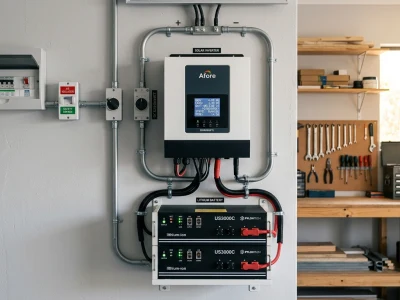
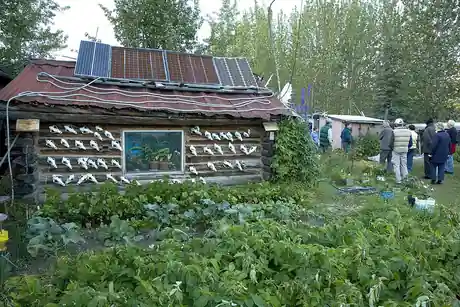
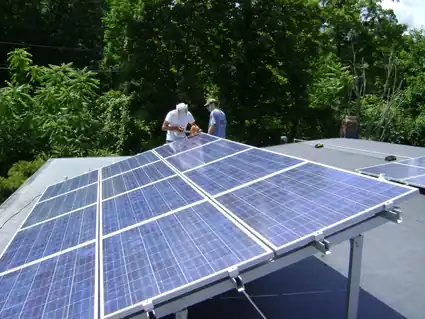
Featured image credit: David Hawgood, “Installation of solar PV panels – inverter,” via Geograph and Wikimedia Commons, CC BY-SA 2.0. The local image was converted to WebP and is shared under the same license. The photograph is illustrative, not a record of this site or a demonstration of troubleshooting.
Stop first if there may be immediate danger
If you see smoke, flame, arcing, a visibly damaged or unusually hot cable, smell burning insulation, or notice a swollen, leaking, or hot battery, keep away, warn others, and contact emergency services or the fire service as appropriate. Do not approach the equipment, touch it, open a cover, operate a switch, or attempt a repair. Follow instructions from emergency responders.
Without an immediate hazard, do not climb onto a roof, open an inverter or combiner enclosure, handle PV connectors, probe terminals, test a live circuit, tighten a connection, bypass a fault, force-charge a battery, or reset a protection device based on this article. PV modules can produce hazardous DC voltage in daylight, and turning off one device does not establish that every conductor is de-energized.
Safe observations to record
From a safe location, record the date and time, weather, loads in use, the exact displayed warning or error code, and status values shown by the closed equipment display or its normal monitoring app. Note recent weather, outages, changes in loads, or service work. Do not reproduce a fault by switching on a large appliance or changing system settings.
| What you noticed | Record without touching equipment | Do not attempt |
|---|---|---|
| Controller reports little or no charging | Displayed operating mode, battery state shown by the system, time, and weather. | Do not measure terminals, open breakers, change charge settings, or add a test load. |
| Inverter shuts down or reports an alarm | Exact code, time, loads already operating, and values shown in the normal app/display. | Do not intentionally restart a motor or appliance to reproduce the shutdown. |
| One monitored PV input appears different | Record the input labels and readings, time, cloud conditions, and any visible shade from a safe location. | Do not climb, open an enclosure, disconnect connectors, replace fuses, or test string voltage. |
| Battery will not charge or reports a BMS warning | Record the exact warning, battery model, displayed temperature/status, and recent conditions. | Do not apply a charging pulse, use an unapproved recovery mode, press an undocumented reset, or change wiring. |
| PV over-voltage warning appears in cold weather | Record the code, time, reported temperature, module/controller models, and recent system changes. | Do not reconfigure strings, open DC disconnects, or attempt voltage measurements. |
| Battery state appears to fall faster than expected | Record displayed state over time and the loads known to be operating. | Do not clamp or probe battery cables or open the battery compartment. |
These observations help a service provider understand the report; they do not diagnose a component. Similar symptoms can result from operating conditions, configured limits, a protection response, communications, a load, or equipment faults.
Use the exact equipment documentation
Read the model-specific manual for the wording of a displayed code and its stated user actions. Product limits, menus, reset behavior, battery charging controls, and approved recovery procedures differ. If the manual directs you to stop or obtain service, do so. Do not transfer a voltage, temperature, current, or reset instruction from another model or from a general online symptom list.
For a service request, provide equipment make and model, the exact displayed messages, the time and conditions, relevant monitoring screenshots, and any recent changes. Keep serial numbers and account details private. Take photographs only from a safe place and do not remove covers or approach damaged equipment to get them.
When qualified service is needed
Diagnosis involving exposed conductors, rooftop arrays, battery terminals, live measurements, protection devices, wiring, or equipment covers is outside this guide. Contact the system installer, equipment manufacturer, or a professional qualified for the equipment and work involved. Electrical rules and required qualifications depend on the installation and jurisdiction.
Do not use a generic wire size, voltage threshold, fuse rating, torque value, battery recovery procedure, or solar-string calculation to repair a particular system. Safe diagnosis requires the exact equipment documentation, system configuration, and conditions at the site.
Frequently Asked Questions
Do not approach or operate equipment when there may be smoke, fire, arcing, or overheating. Move away, warn others, and contact emergency services or the fire service as appropriate. Follow responder instructions.
No. Do not handle or disconnect PV connectors as a troubleshooting step. Record the displayed warning from a safe location and contact the installer or a qualified service provider.
This article does not provide live-testing instructions. PV and battery circuits can present shock, arc, and fire hazards. Do not open equipment or probe conductors; system-specific testing belongs to appropriately qualified personnel using the applicable procedures and equipment.
There is no universal reset or recovery method. Do not apply a charging pulse, bypass protection, or try an undocumented reset. Record the exact model and warning, then follow its current manual or contact the manufacturer or installer.
The display alone is not enough to identify a cause. Record the operating mode, time, weather, and battery status shown by the system, then compare the message with the exact controller and battery manuals or ask the service provider.
Do not open the system or reconfigure strings. Record the error, time, temperature, and equipment models, and contact the installer or a qualified service provider to review the model-specific design limits.
References
- Use the current manual and service guidance for the exact inverter, controller, battery, and monitoring system. A general article cannot replace those product-specific instructions.
- U.S. Department of Energy, Solar Photovoltaic System Design Basics, for a general overview of PV components.
- NFPA, NFPA 70, National Electrical Code. Verify the requirements adopted by the authority having jurisdiction for the specific installation.
Sources checked October 4, 2026. Product manuals and locally adopted requirements can change. This educational overview is not a diagnosis or repair procedure.